

YouTube to Karaoke
Create karaoke from a public video URL in Youka Online with the Youka Extension. Paste the link, add or find lyrics, let AI remove vocals and sync timing, then edit the result and export a karaoke MP4.
Use this workflow when the song is easiest to start from as a public video URL instead of a local audio file. For regular browser file uploads, use the Online Karaoke Maker.
Demo Output
This short clip was exported from Youka using the approved royalty-free video URL below. It shows the target result of the workflow: a styled karaoke video with synced lyrics and an MP4 export.
Demo music: Good For You by THBD, from Audio Library. Source: YouTube.
Quick Answer
To turn a YouTube video into karaoke, open Youka Online with the Youka Extension installed, paste a public video URL, add accurate lyrics, let Youka extract the audio, remove vocals, sync lyrics, preview the karaoke draft, fix timing or style, and export the result as an MP4.
If you already have the song as an audio file, use MP3 to Karaoke. If you want the general creation workflow, start with Karaoke Video Maker.
For a deeper source-to-export walkthrough, read How to Create Karaoke From a Video URL Online.
Comparing URL-based karaoke workflows? Read Youka vs MyKaraoke Video for pricing, browser creation, AI model options, exports, and library playback.
The Complete URL Workflow
Start by downloading the Youka Extension for your operating system. The extension handles the public URL download while you continue working in Youka Online.
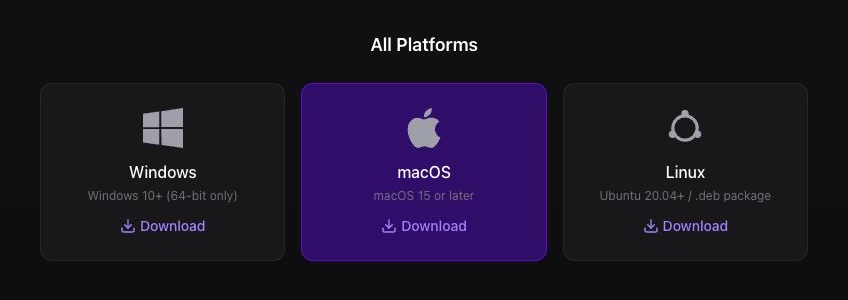
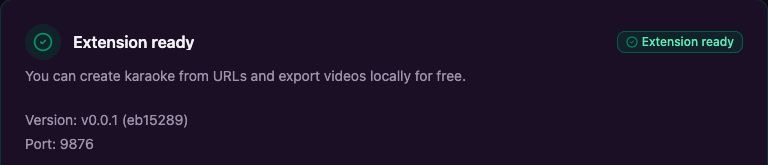
Keep the extension open during its first setup. Continue when Youka Online says Extension ready.
If Chrome asks whether Youka Online can find and connect to devices on your local network, select Allow so the browser can reach the extension running on your computer.
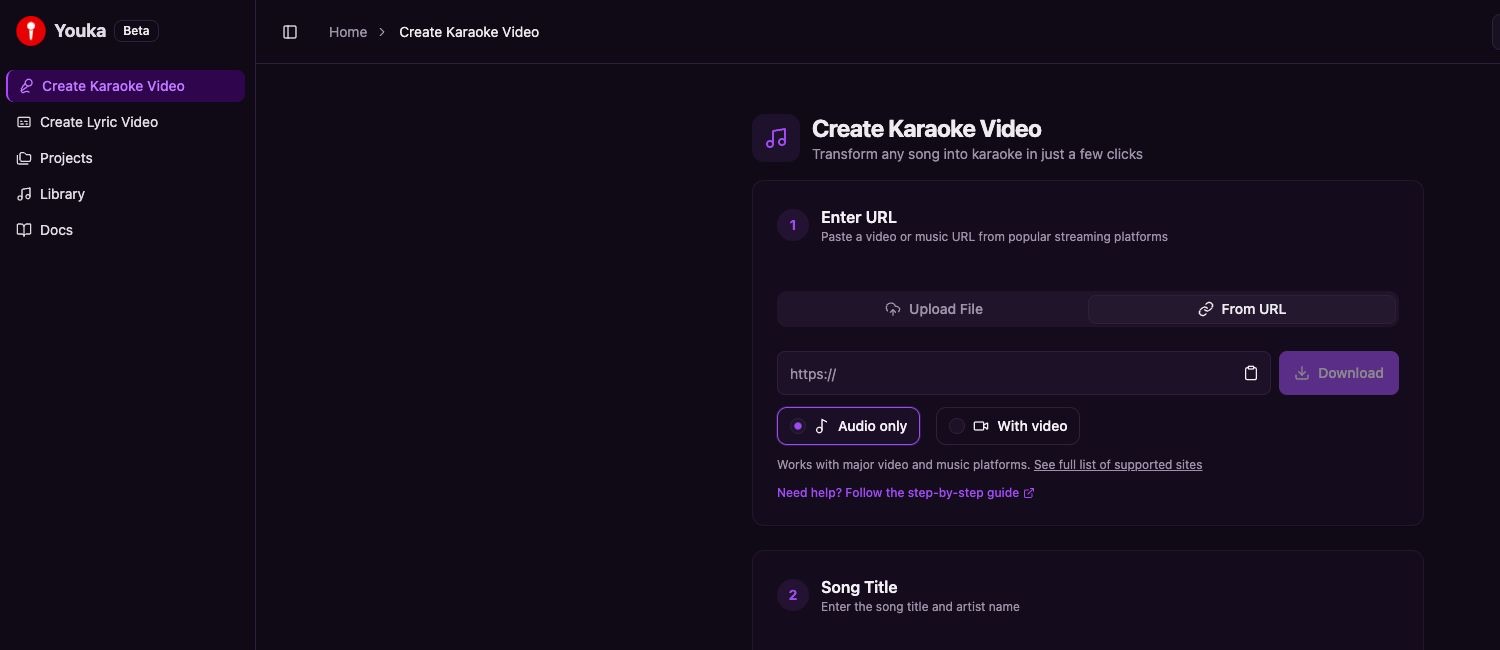
Return to Youka Online and select Create Karaoke Video in the left sidebar, then select From URL.
Paste a public video or music link, choose the format, and select Download.
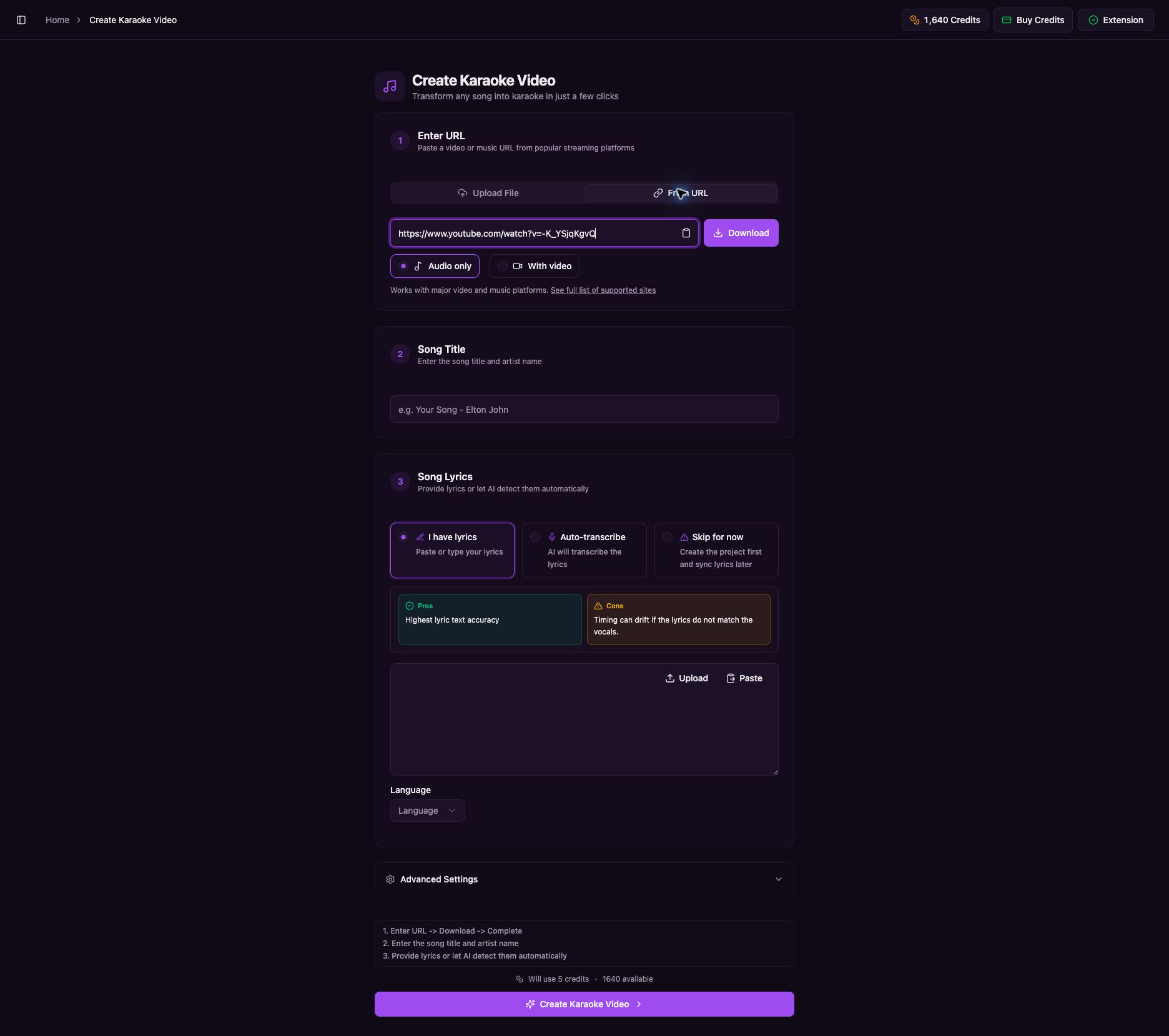
Keep the page open while Youka downloads and prepares the media. Continue when the downloaded media name and song title appear and the final creation button is available.
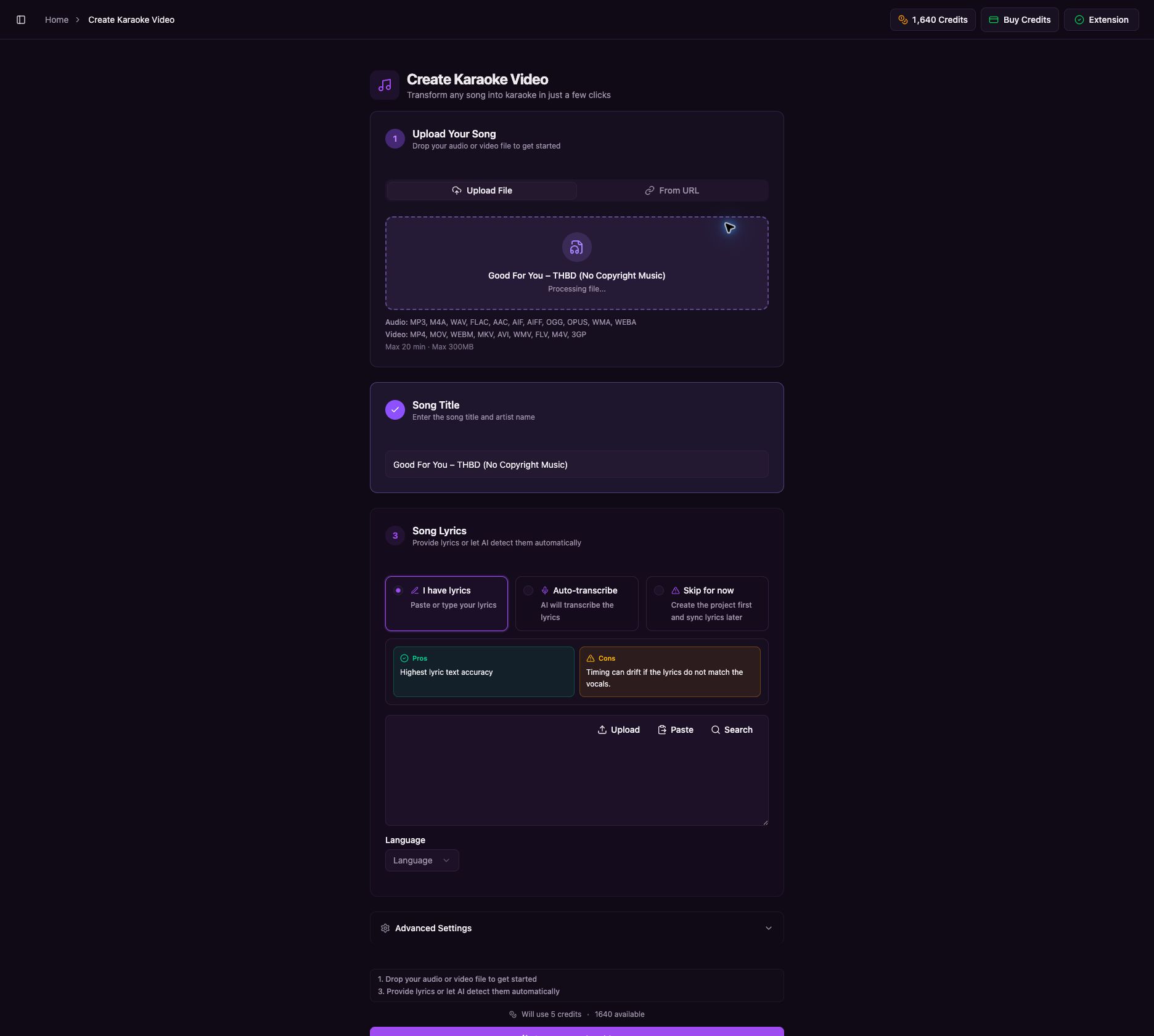
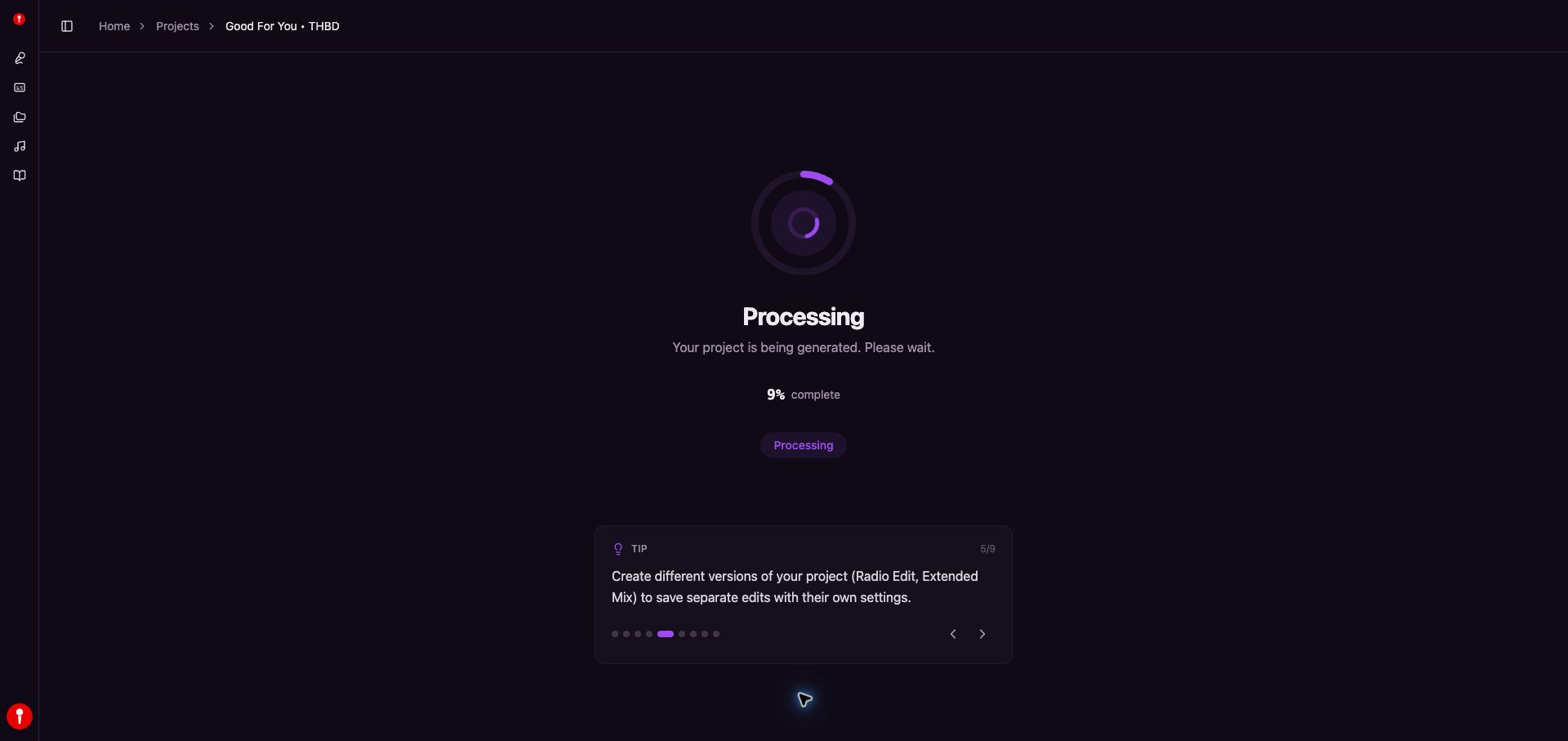
After you create the karaoke, wait on the project processing page while the percentage increases.
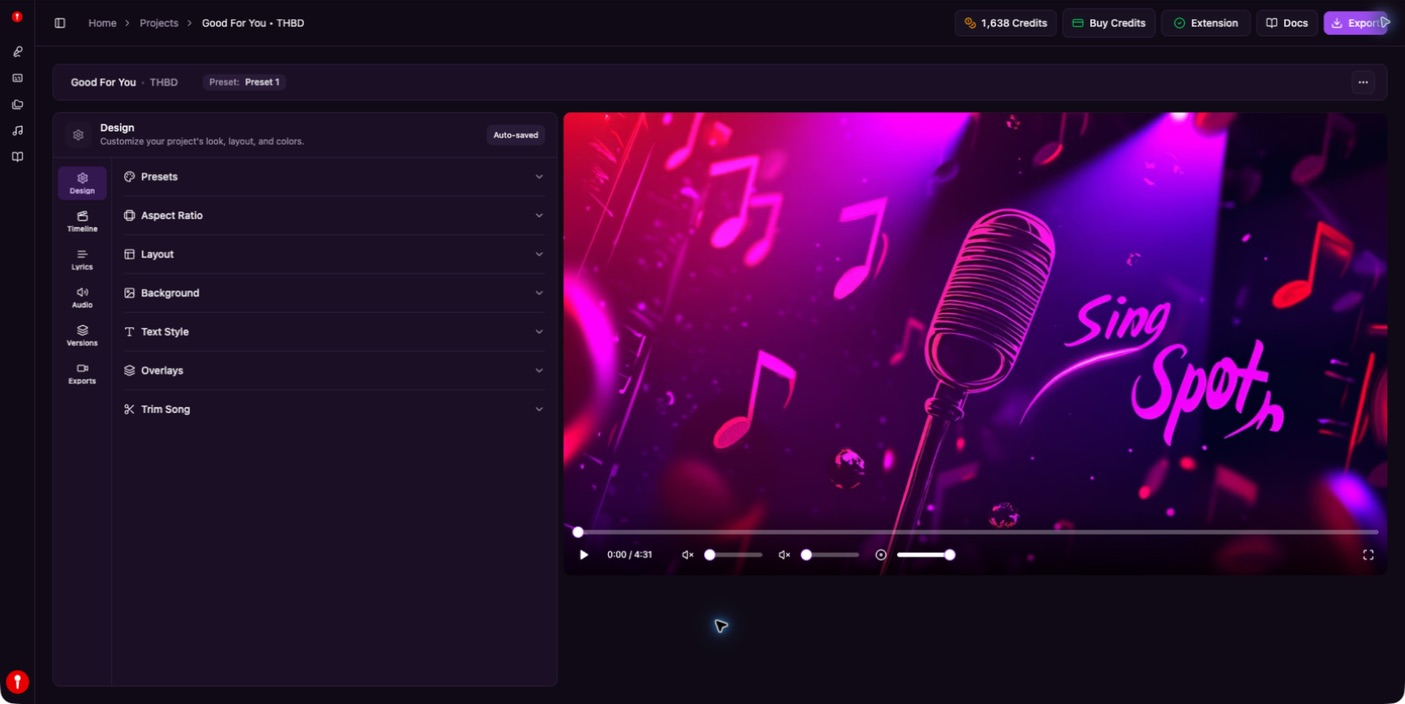
When processing finishes, the editor opens automatically and the project is ready to play, edit, and export.
For every installation and creation step, including Windows, macOS, and Linux instructions, follow the complete Create Karaoke from a URL guide.
How to Create Karaoke from a Video URL
1. Copy the Public Video URL
Open the source video and copy the URL from your browser. Choose the cleanest version available. Official audio uploads, clean music videos, and high-quality lyric videos usually work better than live recordings or noisy clips.
2. Open Youka Online with the Extension
Video URL creation works in the web app when the Youka Extension is installed. You keep the low-friction browser workflow, and the extension handles the URL source and local export capabilities on supported systems.
Install the Youka Extension if you have not set it up yet. Keep it open until Youka Online says Extension ready.
3. Create from URL
Open Create Karaoke from URL, paste the video link, and select Download. Keep the page open until the downloaded media name and song title appear and the final creation button is available.
4. Add Lyrics
Paste lyrics or let Youka find lyrics when available. For best results:
- use lyrics that match the exact video version
- include repeated choruses in full
- remove intro text, credits, timestamps, and ads
- split long lines into short singable phrases
- check whether the video is a remix, live version, or shortened edit
5. Let AI Process the Song
Youka creates the karaoke draft:
- extracts audio from the video
- separates vocals from the instrumental
- aligns lyrics to the song timing
- creates a playable karaoke preview
- prepares the project for editing and export
Most normal songs are ready in a few minutes. Source quality and song length can change processing time.
6. Edit and Export
Before exporting, preview the karaoke like a singer. Fix lyrics, timing, line breaks, colors, background, and text size. Then export a 1080p MP4 for playback, sharing, or your own karaoke library.
Best Video Sources
| Source Type | Expected Result | Notes |
|---|---|---|
| Official music video | Excellent | Usually clean audio |
| Official audio upload | Excellent | Often best for vocal separation |
| Lyric video | Good | Check that lyrics match the audio |
| Live performance | Mixed | Crowd noise can reduce quality |
| Cover or remix | Mixed | Lyrics and timing may differ |
| Low-quality upload | Limited | Artifacts are more likely |
The best source is usually the cleanest audio source, not necessarily the most visually interesting video.
Why Use the Youka Extension for Video URLs?
The browser is the best starting point for most creators. The Youka Extension adds the parts a normal browser cannot do alone: video URL handling and free local exports on supported systems.
Use Youka Online with the extension when you need:
- public video URL creation
- repeated project creation
- local export workflows
- more control over source media
- larger or more complex projects
Use regular Youka Online when you already have an audio file and want the fastest browser path.
Common Problems and Fixes
The URL does not import
Check that the video is public and accessible in your browser. Private videos, premium content, region restrictions, or unsupported sites may not work.
The lyrics do not match
The video may be a live version, remix, radio edit, or cover. Paste lyrics that match the exact recording instead of the most common lyric version.
The vocals are not fully removed
Try another source video or audio upload. Vocal separation is harder with crowd noise, heavy reverb, background vocals, and low-quality audio.
The output is hard to read
Use a simpler background, larger text, stronger outline, and fewer colors. Karaoke video design should make the next words obvious before the singer needs them.
Rights and Responsible Use
Youka helps you create karaoke from source media, but it does not give you rights to music, lyrics, or video footage. For public uploads, commercial use, events, or client work, make sure you have the right permissions for the source material and final export.
Frequently Asked Questions
Can I convert YouTube to karaoke online?
Yes. Use Youka Online with the Youka Extension for public video URL creation.
Can I use a YouTube music video as the background?
When the source workflow supports video, you can use video material as part of the project, but you are responsible for the rights to the footage and music.
Do I need to paste lyrics?
You can paste lyrics or use automatic lookup when available. Pasting clean, complete lyrics gives the best sync result.
How long does YouTube to karaoke conversion take?
Most normal songs process in a few minutes. Longer videos and difficult audio can take more time.
Can I export the result as MP4?
Yes. Youka exports karaoke videos as MP4 files suitable for playback on computers, TVs, projectors, and upload workflows.
Ready to create karaoke from a video URL? Open Youka Online and use the Youka Extension, or start from a local audio file with MP3 to Karaoke.