
AI Karaoke Maker
Create an AI karaoke video online when you want to turn a real song into a playable sing-along MP4. Upload an audio or video file, add lyrics, let Youka create the first AI draft with vocal removal and synced words, then preview, fix timing, customize the visuals, and export a 1080p MP4.
Use this AI karaoke maker for practice tracks, YouTube sing-alongs, karaoke host requests, lessons, social clips, event screens, or a personal karaoke library. The value is not abstract AI. It is a faster path from a song source to a finished karaoke video you can inspect before spending more credits.
Start free with 15 credits. Test one real song, check the vocal removal and lyric timing, and export finished videos before buying more credits.
Demo Output
This short clip was exported from Youka using an approved royalty-free sample track. It shows the practical result this page is about: AI-assisted vocal removal, synced readable lyrics, custom visuals, and a finished MP4.
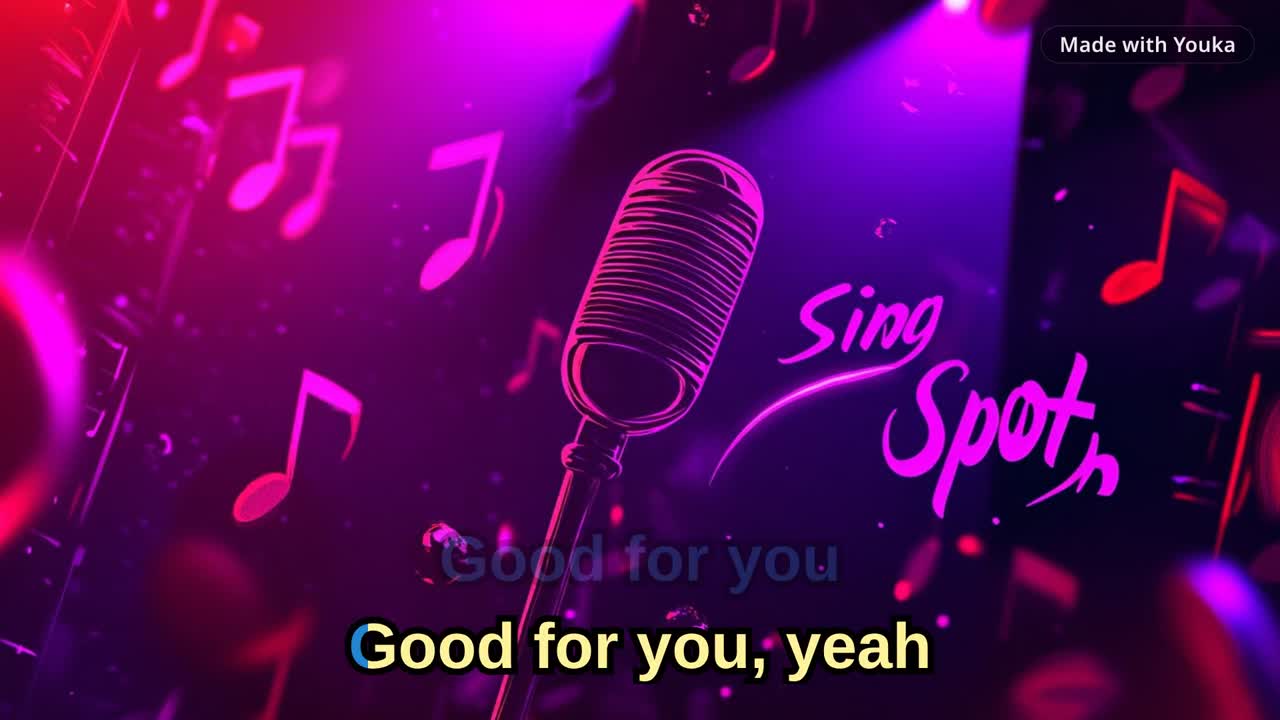
Demo music: Good For You by THBD, from Audio Library. Source: YouTube.
Quick Answer
AI karaoke uses source-separation and lyric-sync models to create a karaoke draft from a song. In Youka, you upload a source file, add or find lyrics, generate the draft, preview the result, fix any timing or lyric issues, customize the video style, and export a 1080p MP4.
If you already know you need a finished karaoke video, start with Karaoke Video Maker. If your source is an MP3 or audio file, use MP3 to Karaoke. If your source is a public video URL, use YouTube to Karaoke with Youka Online and the Youka Extension.
For timing cleanup after the AI draft, read the lyric synchronization workflow.
Free to Start
New accounts get 15 free credits, enough to test AI karaoke creation on a real song. Use the free credits to check three things before buying more: vocal-removal quality, lyric timing, and whether the exported MP4 looks good enough for your use case.
For plan details, see Free Karaoke Maker or compare the current pricing options.
When Paid Credits Make Sense
Start free if you are testing one song or comparing AI karaoke tools. Buy more credits only after the first real export proves the quality you need.
Paid credits make the most sense when AI karaoke is part of a repeat workflow: a practice set, host or DJ library, lesson collection, YouTube channel, social-content batch, event playlist, or custom requested songs. You can keep each song in one browser workspace, fix timing and line breaks, reuse visual styles, and export finished MP4s without rebuilding the video in a separate editor.
If the first export proves the quality you need, buy credits for the next batch from the same workflow.
How AI Karaoke Works in Youka
1. Choose a Clean Source
Start with the best version of the song you have:
- MP3, WAV, FLAC, M4A, or another common audio file
- MP4, MOV, MKV, AVI, or WebM video file
- Public video URL in Youka Online with the Youka Extension
- Existing instrumental track if you only need lyric timing and video styling
Clean studio recordings usually give the best AI results. Live recordings, crowd noise, heavy reverb, backing vocals, remixes, or very low-bitrate files may need more manual cleanup.
2. Add Accurate Lyrics
Paste lyrics yourself or let Youka find lyrics when available. Accurate lyrics are one of the strongest inputs for a useful AI draft because the timing model has the exact words to align.
Before processing, remove headers, ads, timestamps, credits, and "repeat chorus" notes. Include repeated chorus text in full so the sync follows the actual song from start to finish.
3. Generate the AI Draft
Youka processes the song and prepares a karaoke project:
- separates the lead vocal from the instrumental
- aligns lyrics to the song timing
- creates a playable karaoke-video preview
- prepares the project for timing, layout, and style edits
Most standard songs are ready to preview in a few minutes. Longer files or difficult recordings may take more time.
4. Preview and Fix the Result
AI gives you a strong first draft, but you stay in control before export. Preview the video like a singer or viewer and check:
- are the lyrics complete?
- do words appear early enough to sing comfortably?
- are long lines split into readable phrases?
- is the vocal removal clean enough for the song?
- is the text readable on a phone, laptop, TV, or projector?
Use the editor to fix lyric text, word timing, line timing, line breaks, singer colors, font size, background, and layout.
5. Export the Karaoke MP4
When the preview looks right, export the finished karaoke video as a 1080p MP4. Use it for:
- singing practice
- YouTube karaoke videos
- event and party screens
- classroom or lesson material
- karaoke host and DJ requests
- personal or semi-commercial song libraries
For destination-specific checks before a larger batch, use the karaoke video export settings checklist.
What AI Handles and What You Control
| Part of the workflow | AI helps with | You can still control |
|---|---|---|
| Vocal removal | Separating lead vocal from instrumental | Source choice, whether to keep or remove vocals, re-export |
| Lyric timing | Creating the first synced draft | Word timing, line timing, line breaks |
| Lyric text | Finding lyrics when available | Pasted lyrics, corrections, repeated sections |
| Visual style | Preparing a playable karaoke-video draft | Fonts, colors, background, logo, intro, outro |
| Finished output | Turning the draft into an export workflow | Preview approval, 1080p MP4 export, batch decisions |
Good Fit and Limits
AI karaoke works best when you have a clean song source and want a finished sing-along video faster than manual editing. It is a good fit for creators who make repeated karaoke videos, practice tracks, performance files, or custom requested songs.
It is not magic. If the source has heavy crowd noise, overlapping singers, distorted audio, or lyrics that do not match the exact recording, you may need to adjust timing, text, or source quality before export.
You are also responsible for having the rights to the music, lyrics, video, and visual assets used in your final karaoke video.
Frequently Asked Questions
Can AI create karaoke from any song?
Youka can create a karaoke draft from many common audio and video sources. Clean studio recordings usually work best. Difficult recordings may need manual timing or source-quality cleanup.
Does AI remove vocals automatically?
Yes. Youka can separate the lead vocal from the instrumental and create a karaoke-style backing track. Results depend on the source recording, mix, and vocal complexity.
Can I fix lyric timing after the AI draft?
Yes. You can edit lyric text, line breaks, word timing, line timing, colors, background, and layout before export.
Do I need to install software?
No. Start in Youka Online from your browser. Use the Youka Extension when you need public video URL workflows, lyric search, or local exports on supported systems.
What video resolution is supported?
Youka exports karaoke videos in 1080p MP4 format, which works well for YouTube, social platforms, TVs, projectors, lessons, and practice setups.
When should I buy more credits?
Use free credits to test one real song first. Buy more credits when the exported result proves the vocal removal, lyric sync, readability, and video style are good enough for your next batch.
Ready to create AI karaoke from a real song? Start with Youka Online.
If you want the broader finished-video workflow, use the Karaoke Video Maker.