How to Sync Karaoke Lyrics Automatically, Then Fix Timing Manually
Learn how to sync karaoke lyrics automatically in Youka, prepare clean lyrics, fix timing misses manually, style readable text, and export a lyric or karaoke video.
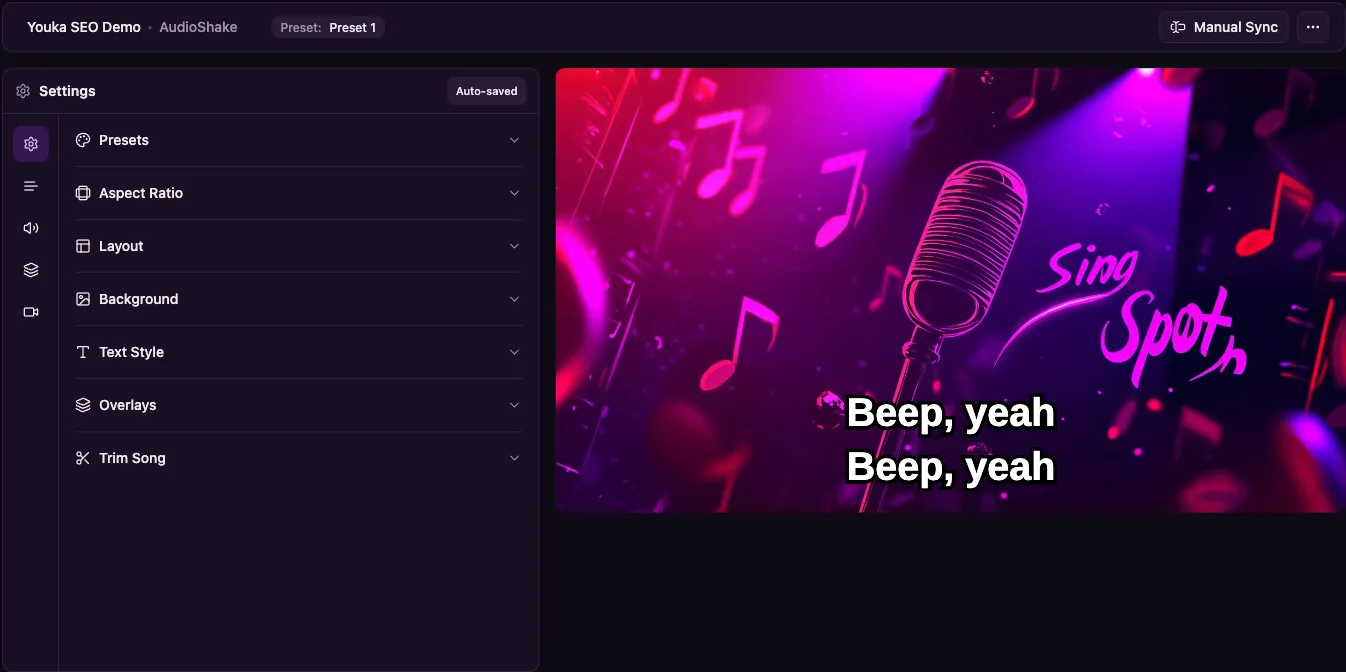
Automatic lyric sync is the fastest way to start a karaoke or lyric video, but the best result still comes from a quick human review. Let AI create the first timed draft, then fix only the lines or words that feel early, late, or hard to sing from.
In Youka, the practical workflow is simple: start in Youka Online, add a song source, provide lyrics that match the recording, let Youka align the words, then use the studio to clean up timing, line breaks, and visual style before export.
Quick Answer
To sync karaoke lyrics automatically, upload an audio or video file in Youka Online, paste or find lyrics that match the exact recording, and let Youka create the first synced draft. After that, preview the song like a singer, correct any wrong lyrics, nudge timing where needed, and export the finished video when the words feel easy to follow.
If you want a focused lyric-video workflow, use the Lyrics Video Maker. If the goal is a full sing-along MP4 with an instrumental backing track, start with the Karaoke Video Maker. For a browser-first workflow, use the Online Karaoke Maker.
What Good Lyric Sync Needs
Most timing problems start before the editor opens. A clean source and matching lyrics matter more than small design choices.
Use the cleanest recording you can:
- a studio recording instead of a live recording with crowd noise
- a file or video where the vocals are clear
- the same version as the lyrics you plan to use
- a source you have the rights to use for your intended export
Then clean the lyrics before processing:
- remove titles, credits, ads, timestamps, and section labels
- write repeated choruses in full instead of "repeat chorus"
- keep lines short enough to read while singing
- include ad-libs only when singers need them
- check bridges, outros, radio edits, remixes, and cover versions
If the lyrics do not match the recording, automatic sync will usually drift. Fixing the words first is faster than trying to repair every timing miss later.
Step 1: Start a Project in Youka Online
Open Youka Online and create a new project. You can upload an audio file, upload a video file, or use the Youka Extension when you need to start from a supported public video URL.
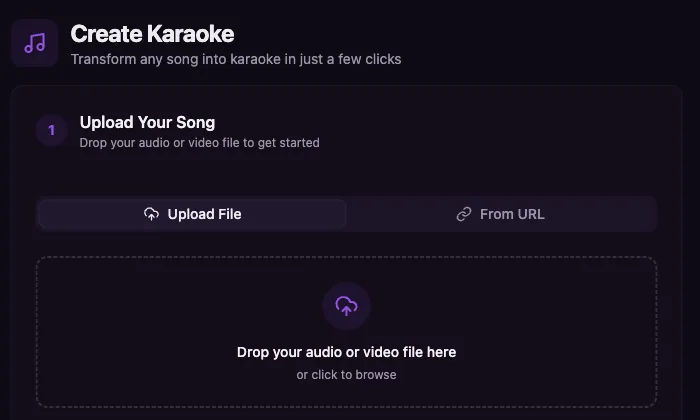
For most new projects, the web app is the lowest-friction place to start. You can test the source, check whether the lyrics match, and see whether the first synced draft is close enough to finish before spending time on styling.
If you already have an MP3 or audio file, the MP3 to Karaoke workflow is the focused path. If your source is a public video URL, read How to Create Karaoke From a Video URL Online for the full URL workflow.
Step 2: Add Lyrics That Match the Recording
Youka can help find lyrics when available, but pasted lyrics are often safer when timing accuracy matters. The important part is not where the lyrics come from. It is whether they match the exact audio.
Before you process the song, read through the lyrics once while listening to the track. Watch for common mismatches:
- the lyrics are for a different edit of the song
- a chorus is written once but sung multiple times
- a bridge, intro, outro, or spoken section is missing
- a cover changes words or phrase order
- a lyric site added annotations that should not be sung
Automatic lyric sync works best when it can align the actual sung words to the actual recording. Clean input gives the AI a better first pass and gives you less cleanup in the studio.
Step 3: Let Youka Create the First Timed Draft
After the source and lyrics are ready, let Youka process the song. Depending on the project, Youka can prepare the audio, separate vocals for karaoke use, align lyrics to the song timing, and open the result in the studio for preview.
Treat this first result as a draft, not a final export. The goal is to get most of the timing right automatically so you only spend manual time where it matters.
That difference is important. A karaoke creator should not have to time every line from scratch, but no AI system can guarantee that every source, lyric sheet, language, remix, and vocal style will align perfectly without review.
Step 4: Review the Sync Like a Singer
Open the synced draft in the studio and play from the beginning. Do not only check whether the words technically match the audio. Check whether a singer can follow them.
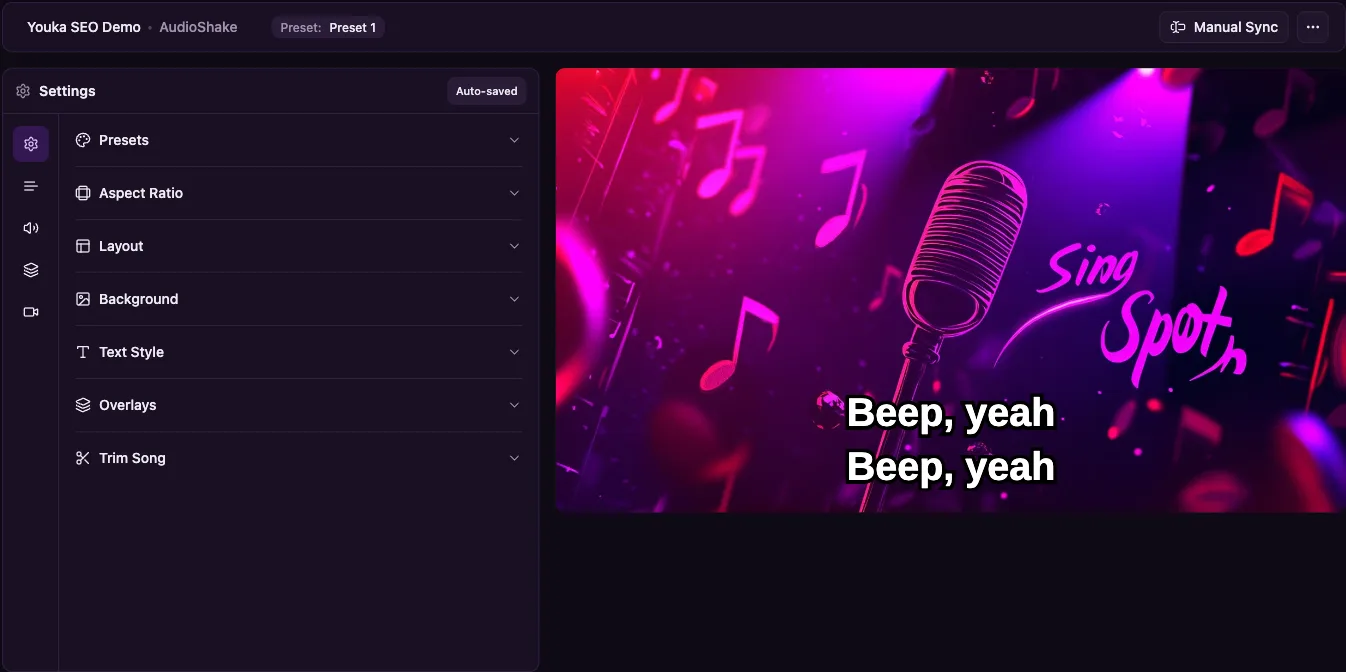
Review in this order:
- Fix missing or incorrect words.
- Check whether each chorus appears every time it is sung.
- Correct line-level timing that is clearly early or late.
- Split long lines that are hard to read.
- Nudge individual words only where singers would notice.
- Preview from a few seconds before each edit.
For karaoke, slightly early lyrics can feel better than lyrics that appear exactly on the vocal. Singers need a moment to prepare before the next phrase starts.
Step 5: Fix Timing Without Rebuilding the Video
Manual timing fixes should be small and targeted. If one line is late, adjust that line. If one chorus drifts because the lyrics are missing a repeat, fix the text first. If the whole song drifts, confirm that the source and lyric sheet are the same version.
Use this cleanup pattern:
| Problem | Best first fix |
|---|---|
| One line is early or late | Nudge that line's timing and preview from before it |
| A chorus goes off sync | Check whether the chorus is written out every time |
| Fast words feel messy | Split the line or simplify the visible phrasing |
| Lyrics stop matching | Look for a missing bridge, verse, or remix section |
| Instrumental intro drifts | Move the first sung line to the real vocal entrance |
The goal is singability, not microscopic editing. A clean read-along pass is usually a better test than staring at timestamps.
Step 6: Style Lyrics for Readability
A synced lyric video still fails if the words are hard to read. Before export, check the visual design on the kind of screen where people will use it.
For karaoke and sing-along videos:
- use large text with strong contrast
- keep lines short
- avoid busy backgrounds behind lyrics
- use a clear highlight color for sung words
- leave enough time for the next line to be seen
- preview on mobile if the video is for Shorts, Reels, or TikTok
- preview from a distance if the video is for TV, projector, or events
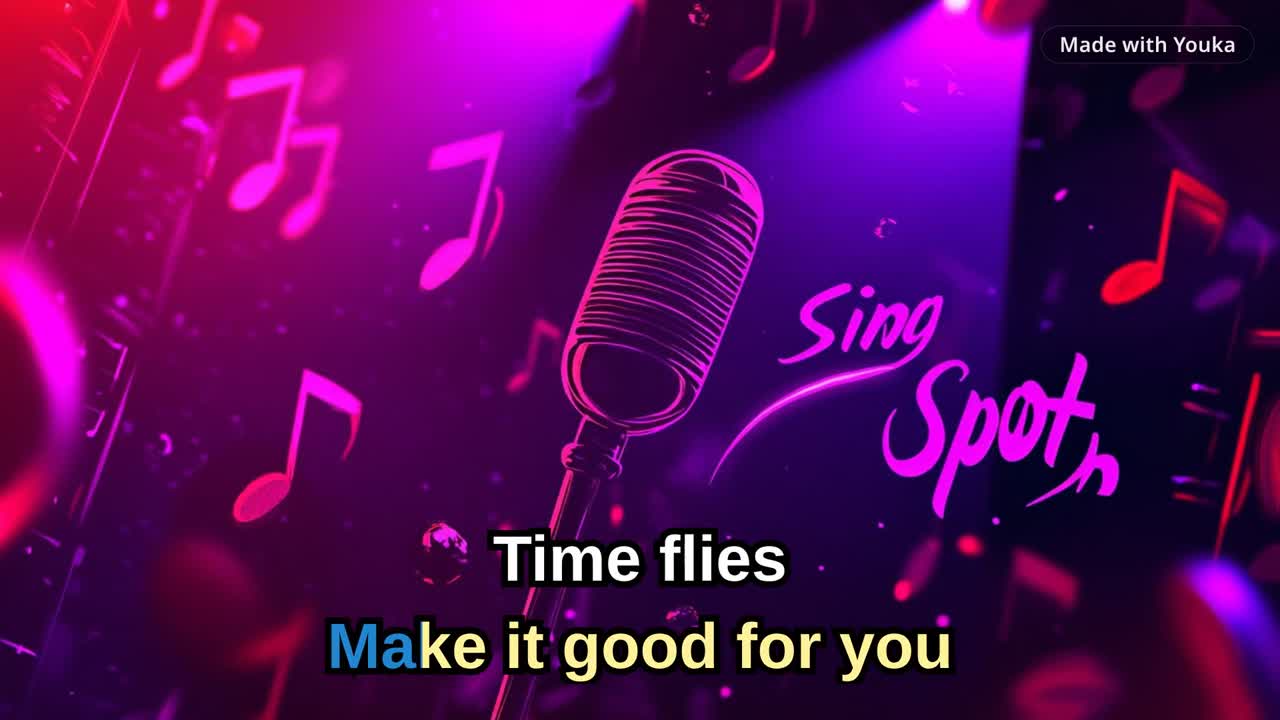
For a classic lyric video, the original vocals can stay in the track. For karaoke, you usually want vocal removal plus synced lyrics so people can sing the lead part themselves.
The Five-Pass Lyric Video Quality Check
Use the same review order every time you finish a lyric or karaoke video. This keeps the last check focused: verify the source, then the words, then timing, readability, and the final playback path.
Pass 1: Source Match
Confirm that the recording and lyric sheet describe the same version of the song. Check the intro, repeated choruses, bridge, outro, ad-libs, and any radio-edit or remix differences. If the structure does not match, correct the source or lyrics before adjusting individual timestamps.
Pass 2: Lyric Accuracy
Read every visible line while the song plays. Correct missing words, duplicated sections, punctuation that makes phrases harder to read, and line breaks that separate words that belong together. Write repeated sections in full so each sung phrase has its own place in the timeline.
Pass 3: Timing and Singer Lead-In
Review the video like a singer, starting playback before each edit instead of on the edited word. Fix the lines that feel early or late, then adjust individual words only when the singer would notice. Make sure the next phrase appears soon enough for someone to prepare without guessing what comes next.
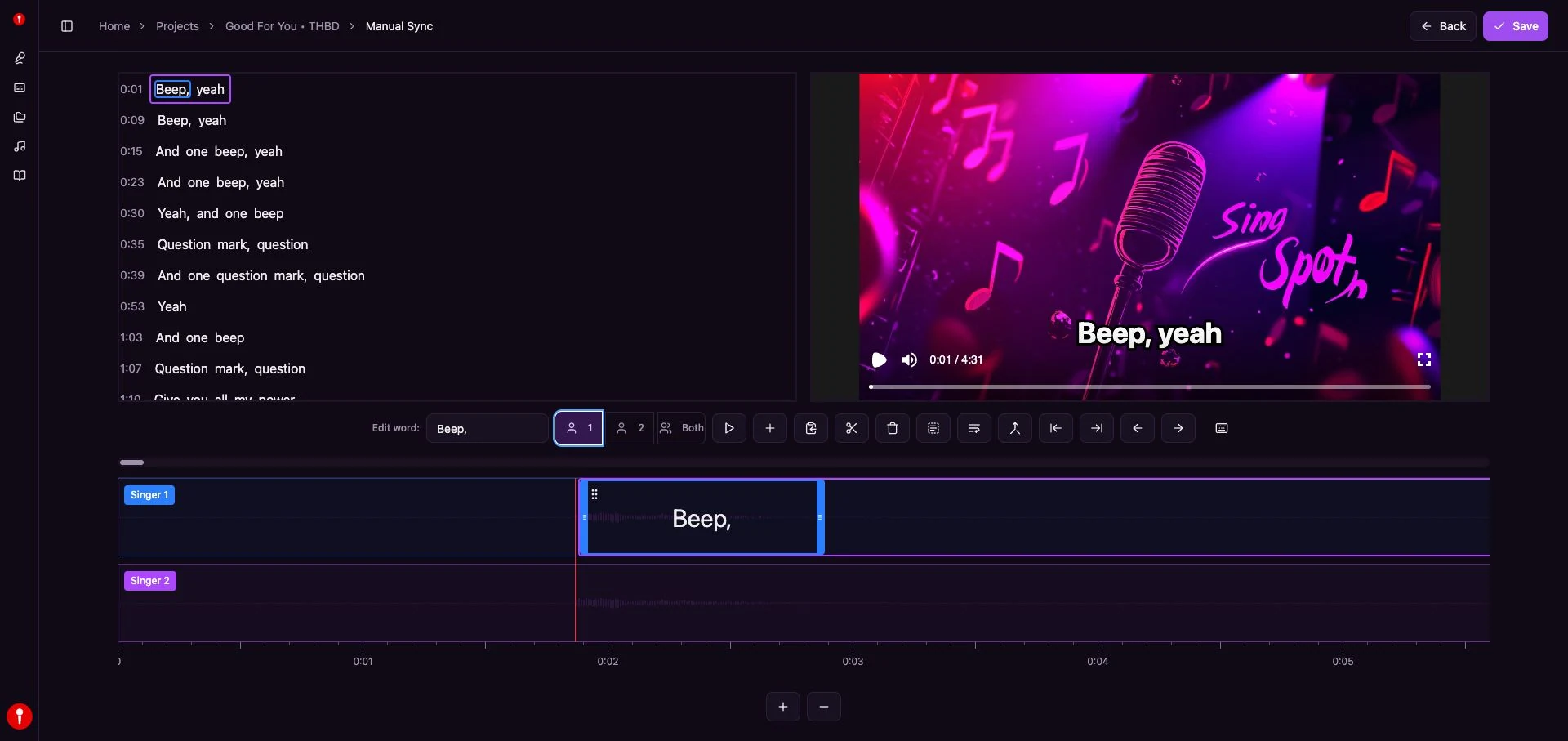
The Manual Sync editor keeps the lyric list, video preview, selected word, singer assignment, and word timeline in one view. That makes it possible to repair a specific miss without rebuilding the automatic first draft.
Pass 4: Readability
Watch once without opening the timing controls. Check that every line remains easy to scan against the changing background, that active and upcoming words are distinguishable, and that long phrases are split naturally. Review on the screen size and viewing distance that matter for the finished video.
Pass 5: Full Playback and Export
Play the complete project from the beginning after the last edit. Listen for missing audio, watch every transition and repeated section, and confirm that the ending is complete. Then use the karaoke video export settings checklist to test the actual MP4 on its intended upload, TV, projector, or event playback path.
This short approved demo shows the finished review target: synced words, a readable highlight, and a complete exported clip.
Demo music: Good For You by THBD, from Audio Library. Source: YouTube.
Copy this scorecard into a project note and complete it before export:
| Pass | Review question | Result | Fix before export |
|---|---|---|---|
| Source Match | Do the recording and lyric sheet use the same song version? | ||
| Lyric Accuracy | Are all sung words, repeats, and line breaks correct? | ||
| Timing and Singer Lead-In | Can a singer follow every phrase without the lyrics feeling late? | ||
| Readability | Do the words stay clear on the intended screen and background? | ||
| Full Playback and Export | Did the complete video and final file pass the real playback check? |
Step 7: Export the Finished Video
When the timing feels natural and the text is readable, export the video. A finished MP4 is the easiest format for YouTube, phones, TVs, projectors, and most event setups.
If you are building a library of songs, keep the project organized instead of treating export as the end of the workflow. Finished karaoke projects can support practice sessions, parties, teaching, event playback, or repeated edits when you want a different style later.
Common Sync Problems
The lyrics are ahead of the song
Move the affected line later, then preview from a few seconds before it starts. If many lines are ahead, check whether the source has an intro or spoken section that the lyrics do not include.
The lyrics are late when singing
Move the affected line slightly earlier. Karaoke timing should help the singer prepare before the vocal starts.
The chorus drifts after the first repeat
Write the repeated chorus in full each time it appears. Do not rely on "repeat chorus" notes when generating synced lyrics.
The lyrics are wrong or incomplete
Correct the text before doing detailed timing work. Wrong lyrics make sync cleanup slower and can make the final video hard to sing from.
The song has no clear vocals
Automatic sync needs something to align against. Instrumental-only tracks, heavy effects, dense backing vocals, live recordings, and noisy sources can require more manual cleanup or a cleaner source.
The source is a video URL
Start in Youka Online and use the Youka Extension when the workflow needs supported public video URL handling. The deeper URL walkthrough is here: How to Create Karaoke From a Video URL Online.
FAQ
Can AI sync lyrics automatically?
Yes. Youka can create a synced first draft automatically from a song source and matching lyrics. You should still preview the result and fix any lyric or timing misses before export.
Do I need to time every lyric manually?
No. The point of automatic sync is to avoid starting from a blank timeline. Manual editing is for cleanup: wrong lyrics, long lines, late words, early lines, and source-version mismatches.
Can I make a lyric video without removing vocals?
Yes. A traditional lyric video can keep the original vocal. If you want a karaoke video where people sing the lead part, use vocal removal and synced lyrics together.
Can I sync lyrics from an MP3?
Yes. Upload the audio file, add matching lyrics, let Youka create the first timed draft, then review the result in the studio. For the focused audio-file workflow, see MP3 to Karaoke.
Can I sync lyrics from a video URL?
Yes, when the source is supported and accessible. Start in Youka Online and use the Youka Extension when URL handling is needed. For details, use the YouTube to Karaoke workflow.
What should I do before exporting?
Preview the whole song, fix mismatched lyrics, adjust only the timing misses that affect singing, check readability, and export when the video feels easy to follow.
Ready to create a synced lyric or karaoke video? Start in Youka Online, or use the focused Lyrics Video Maker workflow if your main goal is a polished lyric video.