How to Make Karaoke Videos You Can Play on TV
Make TV-ready karaoke videos with synced lyrics, readable styling, 1080p MP4 export, and a simple pre-party playback checklist for TVs, projectors, and home karaoke nights.
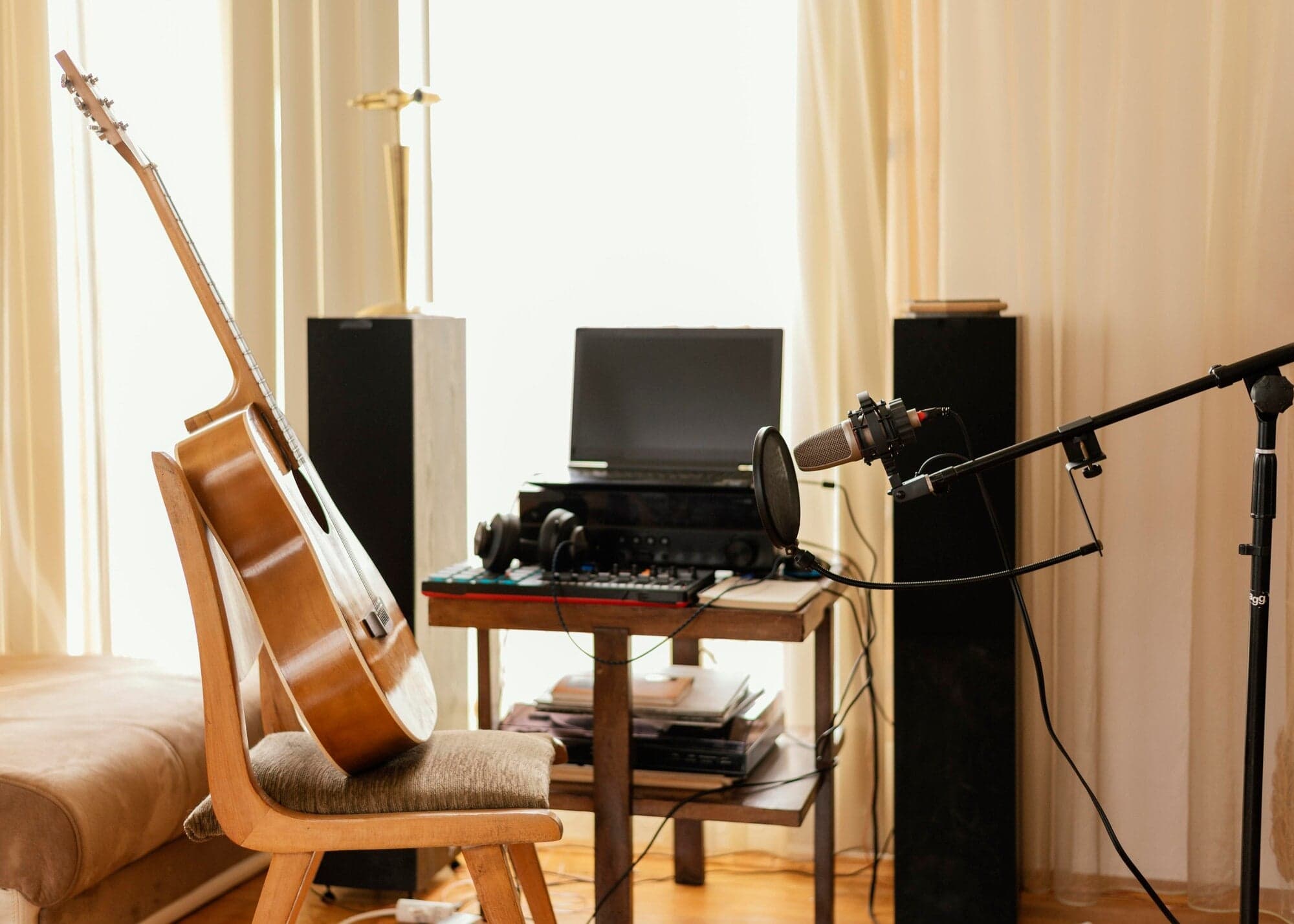
A good karaoke night depends on more than having a big screen. The video needs readable lyrics, reliable timing, a clean backing track, and a file or library workflow that plays on the device you actually plan to use.
This guide shows how to make karaoke videos for a TV, projector, laptop, classroom screen, or party setup. The core workflow is simple: create the karaoke in Youka Online, design it for room-distance reading, export or save the finished version, then test it on the real playback setup before people arrive.
Quick Answer
To make a karaoke video you can play on TV, create the project in Youka Online, sync the lyrics, use large high-contrast text, keep the background simple, and export a 1080p MP4 or save the finished project to your Youka library.
Before a party, class, or event, test the video on the actual TV, projector, speaker, or karaoke system. A file that looks good on a laptop can still have lyrics that feel too small across a room.
Example TV-Ready Karaoke Output
This short demo was exported from Youka using an approved royalty-free sample track. It shows the practical target: readable synced lyrics, a clean visual layout, and an MP4 video that can be shared, uploaded, or played on a TV or projector.
Demo music: Good For You by THBD, from Audio Library. Source: YouTube.
What Makes a Karaoke Video TV-Ready?
TV-ready does not mean fancy. It means singers can follow the words without guessing.
Use these defaults:
- 1080p MP4 for broad playback compatibility
- large lyrics that are readable from across the room
- one or two lines on screen, not dense lyric blocks
- strong contrast between text and background
- an outline or shadow when the background changes
- stable timing that gives singers a small lead before each phrase
- simple backgrounds behind lyric-heavy sections
- enough bottom spacing for TV overscan and projector framing
If the video is for public use, also make sure you have the rights to the song, lyrics, video source, fonts, backgrounds, and any logos in the final export.
Start With the Right Source
The source file affects both sound quality and lyric timing. Clean studio audio is easier to separate and sync than a live phone recording with room noise.
Good starting points:
- an MP3, WAV, FLAC, M4A, or other common audio file
- a video file if you want to keep the original visuals
- a public video URL in Youka Online with the Youka Extension, when the source is supported
- an existing instrumental if you only need synced lyrics
If you already have a song file, start with the Karaoke Video Maker or Online Karaoke Maker. If your source is a public video URL, read the focused video URL to karaoke guide.
Create the First Karaoke Draft
In Youka Online, the first draft gives you the karaoke structure before you polish the playback details.
- Open Youka Online.
- Upload an audio or video file, or use the extension-assisted URL workflow when needed.
- Paste lyrics or let Youka find matching lyrics when available.
- Let Youka remove or lower the vocal when you want a karaoke instrumental.
- Let AI sync the lyrics to the song.
- Preview the result in the studio before export.
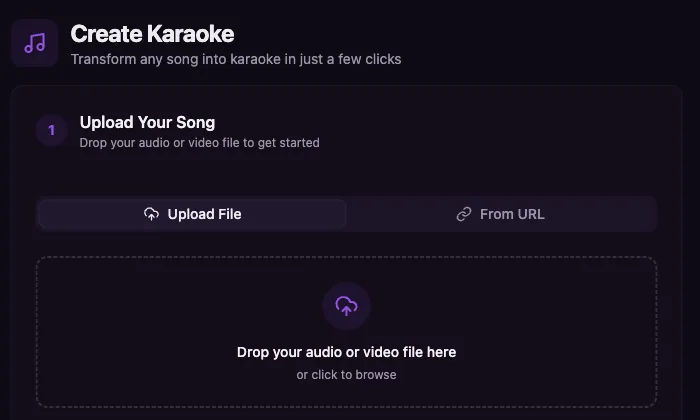
The first draft should get you close. The final pass is where you make the video comfortable for real singers in a real room.
Design Lyrics for a Room, Not a Laptop
Karaoke design has to survive distance. A line that looks stylish on a laptop can become unreadable on a TV across the living room or on a projector in a bright classroom.
Focus on these checks:
- Font size: make the words large enough to read from the farthest seat.
- Line length: split long lyrics into shorter phrases.
- Contrast: use bright text on a dark background, or dark text on a light background.
- Outline: add an outline or shadow if the background has movement.
- Position: keep lyrics away from the very bottom edge.
- Motion: avoid fast decorative effects that distract from singing.
- Timing: lyrics should usually appear slightly before the singer needs them.
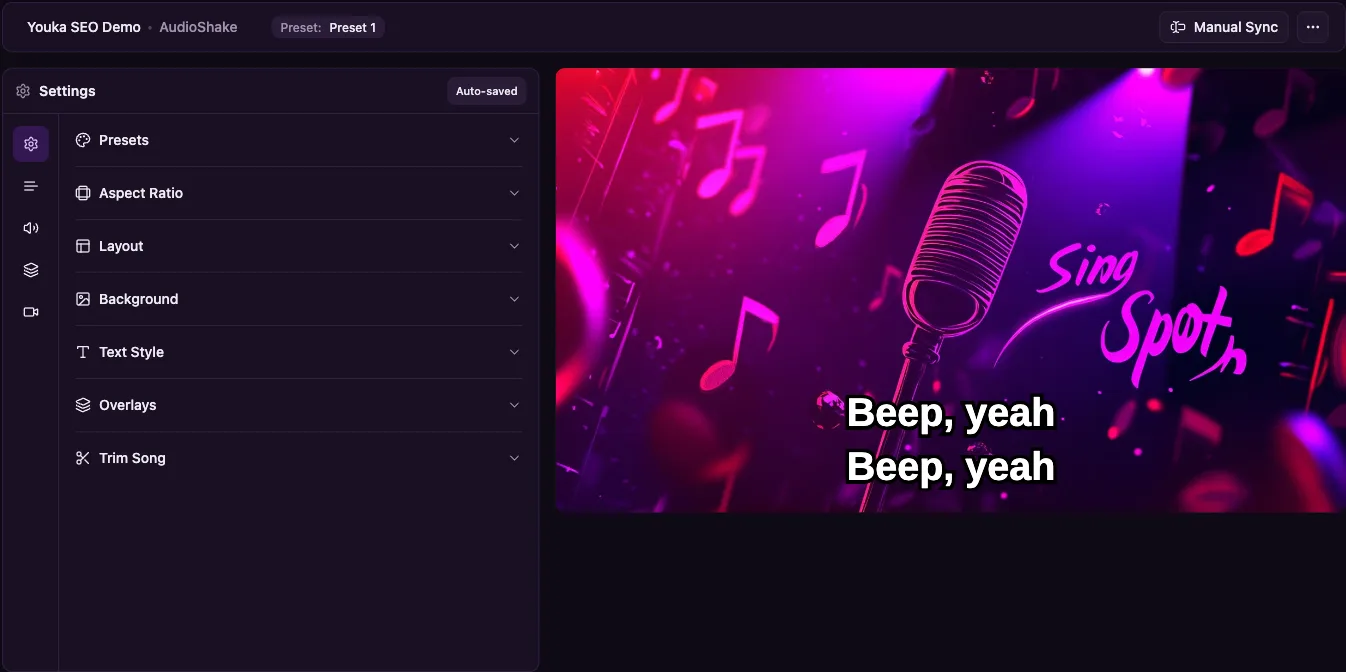
For the full creation process, including source cleanup and timing fixes, read How to Make a Karaoke Video.
Export, Save, or Organize the Karaoke
When the video is ready, choose the playback path that fits the room.
| Need | Best path | Why |
|---|---|---|
| Play from a USB, laptop, TV, or projector | Export a 1080p MP4 | A single file is easiest to test and move |
| Build a reusable song set | Save projects to your Youka library | Easier to organize practice, parties, and classes |
| Switch devices during playback | Use library streaming where supported | Useful when the screen and control device are separate |
| Control from a phone | Use phone remote where supported | Keeps the host away from the TV or laptop |
| Compare online, extension, and desktop flows | Read Youka Online vs Desktop | Helps choose the lowest-friction setup |
For a broader destination-by-destination export preflight, use the karaoke video export settings checklist before you create a batch of files.
For most home karaoke nights, start online first. You can use the Youka Extension when a public video URL or supported local export workflow needs it, and use desktop only if you specifically want a native local workflow.
Set Up the TV, Projector, and Audio
Keep the setup simple: screen for lyrics, speakers for music, microphones for singers.
Before guests arrive:
- Put the TV or projector where singers can see it without turning away from the room.
- Play the exported MP4 or library project all the way through a sample section.
- Confirm the audio comes from the intended speaker or karaoke system.
- Add microphones only after the music path works.
- Check for feedback, delay, or audio imbalance.
- Stand at the back of the room and confirm the lyrics are readable.
Do not assume every TV, projector, karaoke machine, or media player handles files the same way. Test the actual device you will use.
Pre-Party Checklist
Use this checklist before a home karaoke night, class, rehearsal, or event.
- Every song has a finished karaoke video or saved project
- Lyrics are readable from across the room
- Timing feels singable, not just technically aligned
- The MP4 plays on the actual TV, projector, laptop, or media player
- Audio comes from the correct speaker
- Microphones are tested after the music path works
- Backup songs are ready in case a guest request fails
- Source rights are clear for the intended use
- The host knows whether to export, stream from the library, or use phone remote
Troubleshooting
The video plays but audio does not reach the speakers
First confirm the MP4 has audio by playing it on a laptop. Then check the TV, projector, receiver, or karaoke system input. Fix the music playback path before adding microphones.
The lyrics are too small on TV
Increase font size, split long lines, and preview from the farthest seat. Do not optimize only for the editor preview.
The projector washes out the lyrics
Use stronger contrast, a darker background, a thicker outline, or a simpler visual style. Projectors often need more readable styling than laptops.
The MP4 does not play on a device
Export a standard 1080p MP4 and test again. If a specific TV or karaoke machine still fails, play from a laptop or another known-good media player instead of changing the karaoke design at the last minute.
The timing feels late during singing
Shift important lines slightly earlier. In karaoke, singability matters more than frame-perfect alignment.
Guests request songs that are not ready
Keep a small backup library. For new requests, use Youka Online to create the first draft, then decide whether it is good enough for the room or should wait for a proper timing pass.
Frequently Asked Questions
Can I make a karaoke video for TV online?
Yes. Youka Online lets you create a karaoke video in the browser, edit the lyrics and timing, and export or save the result for playback.
What format works best for TV playback?
For most setups, 1080p MP4 is the safest default. Always test the file on the actual TV, projector, or media player before the event.
Do I need a karaoke machine?
Not necessarily. You can play the video on a TV, projector, or laptop and route audio to speakers. A karaoke machine can help with microphones and mixing, but the karaoke video itself can be a standard MP4.
Can I use YouTube or another public video URL?
Yes, when the source workflow is supported. Use Youka Online with the Youka Extension, and follow the video URL karaoke workflow.
Can I use my phone as a remote?
Use phone remote or device streaming where your Youka setup supports it. If you need to choose between online, extension, and desktop workflows, compare them in Youka Online vs Desktop.
Should I export or save to my library?
Export an MP4 when you need a portable file for a TV, projector, laptop, or upload workflow. Save projects to your Youka library when you want to organize songs, reuse them later, or keep your karaoke set available across sessions.
Make Your First TV-Ready Karaoke Video
Start with Youka Online, create a readable karaoke draft, preview it like a singer, and test the finished video on the screen and speakers you will actually use.
For the focused finished-video workflow, use the Karaoke Video Maker. If you want the full step-by-step creation guide, read How to Make a Karaoke Video.