Online Karaoke Maker
Create a karaoke video in your browser without installing software. Upload a song, add or find lyrics, let Youka build the first synced draft, then edit the style and export a finished MP4.
Use the online karaoke maker when you want the fastest path from a song source to a playable karaoke video. It is best for quick tests, one-off songs, browser creation, and URL workflows with the Youka Extension.
Demo Output
This short clip was exported from Youka using an approved royalty-free sample track. It shows the kind of final output the online workflow is designed to create: readable synced lyrics, a styled background, and a shareable MP4.
Demo music: Good For You by THBD, from Audio Library. Source: YouTube.
Quick Answer
To make karaoke online, upload an audio file, add accurate lyrics, let Youka remove the lead vocal and sync the words, preview the result, adjust timing or style if needed, and export the karaoke video as an MP4.
If your source is an MP3, see MP3 to Karaoke. If you want a finished video workflow, see Karaoke Video Maker. If you need to create from a public video URL, use YouTube to Karaoke with Youka Online and the Youka Extension.
For the full URL workflow, read How to Create Karaoke From a Video URL Online.
Comparing browser karaoke makers? Read Youka vs MyKaraoke Video for pricing, URL workflows, AI model options, exports, and library playback.
How to Make Karaoke Online
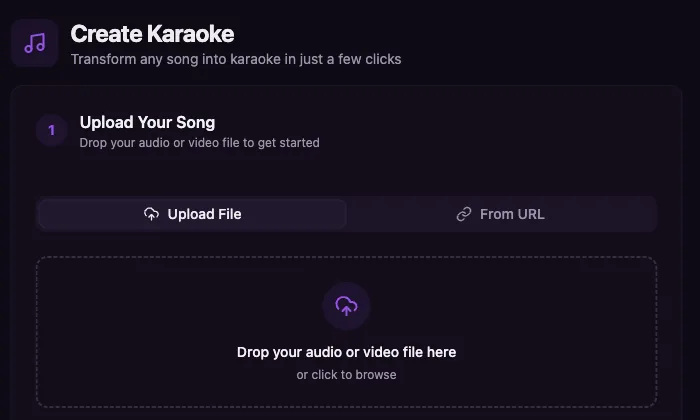
1. Upload Your Song
Start with a clean audio file. Youka works best with:
- MP3
- WAV
- FLAC
- M4A
- AAC
- OGG
High-quality source audio matters. A clean studio recording gives AI vocal removal and lyric sync more information to work with than a phone recording, low-bitrate file, or live recording with crowd noise.
2. Add Lyrics
Paste lyrics into the online karaoke maker or let Youka find lyrics when available. Pasting clean lyrics usually produces the best result because the sync model knows the exact words to align.
Before processing, remove page headers, timestamps, ads, credits, and "repeat chorus" notes. Include the repeated chorus text in full so the karaoke timing follows the song from start to finish.
3. Let AI Create the First Draft
Youka processes the song in the cloud:
- separates the lead vocal from the instrumental
- aligns lyrics to the song timing
- creates a playable karaoke draft
- prepares the project for style edits and export
Most normal songs are ready to preview in a few minutes. Longer songs or difficult source files can take more time.
4. Preview and Edit
After the first draft, check the result like a singer:
- are the lyrics complete?
- do words appear early enough to sing comfortably?
- are long lines split into readable phrases?
- is the text readable on a TV or laptop screen?
- does the background distract from the lyrics?
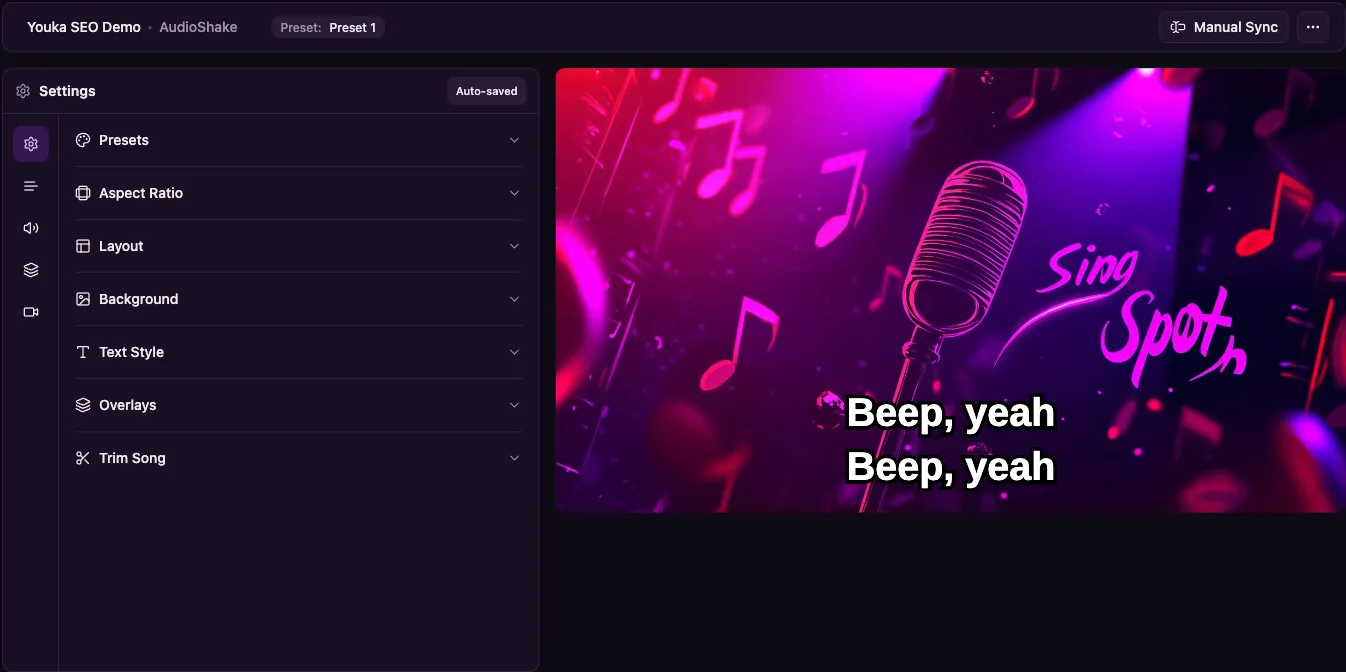
Use the editor to fix lyric text, timing, line breaks, font size, colors, and background.
5. Export the Karaoke Video
Export the final video as an MP4 when you are happy with the preview. This gives you a karaoke file you can play on a computer, TV, projector, or upload workflow.
Online and Extension Workflows
| Workflow | Best Choice | Why |
|---|---|---|
| Upload an audio file | Youka Online | Fastest browser workflow |
| Try Youka before installing | Youka Online | No download required |
| Create from a public video URL | Youka Online + Extension | Start from a URL in the browser |
| Build many karaoke files | Youka Online + Extension | Free local exports on supported systems |
| Use local export options | Youka Online + Extension | Export locally without switching tools |
The online karaoke maker is the best starting point for most new users. Install the Youka Extension when you need URL creation or free local exports on a supported system.
Best Input Files
For the cleanest karaoke result:
- use the highest-quality version of the song you own
- prefer WAV, FLAC, or 256-320 kbps MP3 when available
- avoid live recordings with applause or crowd noise
- avoid files that already sound distorted or heavily compressed
- use complete lyrics with repeated sections included
- keep lyric lines short enough to read while singing
If vocal removal leaves artifacts, try another source file before spending time on detailed timing edits.
What You Can Edit Online
After the AI draft is created, you can refine the karaoke video:
- lyric text
- line breaks
- word or line timing
- text size
- font and colors
- lyric position
- background style
- export preview
This makes the browser workflow useful for real karaoke videos, not only rough instrumental generation.
Common Problems and Fixes
The vocals are still audible
Try a cleaner source file. Vocal removal works best when the lead vocal is clear and not buried under effects, doubles, reverb, or crowd noise.
The lyrics are out of sync
First check whether the lyrics match the song exactly. Missing choruses, extra annotations, or alternate versions can throw off the sync. Then adjust line timing in the editor.
The text is hard to read
Increase font size, simplify the background, add outline or shadow, and use stronger color contrast. Karaoke text should be readable from a distance.
I only have a video URL
Use YouTube to Karaoke with Youka Online and the Youka Extension. The extension unlocks URL creation in the browser.
Frequently Asked Questions
Can I make karaoke online without downloading software?
Yes. Youka Online lets you upload a song, add lyrics, process the track in the cloud, preview the result, and export a karaoke video from your browser. Install the Youka Extension only if you need URL creation or local exports.
Can I create karaoke from an MP3 online?
Yes. Upload the MP3, add lyrics, let Youka remove vocals and sync timing, then export the result. See MP3 to Karaoke for the focused workflow.
Do I need lyrics?
You can paste lyrics or use automatic lyric lookup when available. For best sync quality, provide complete and accurate lyrics.
Does online karaoke work on Mac and Windows?
Yes. The online maker works in a modern browser on Mac, Windows, Linux, and Chromebooks. For URL creation and local exports, install the Youka Extension.
Can I use the result commercially?
You are responsible for having the rights to the music, lyrics, source file, and visual assets used in the exported video.
Ready to create karaoke online? Start with Youka Online or compare the full workflow in the Karaoke Video Maker.
Inside Youka Online
See the workflow before you start
Click a screenshot to open Youka Online and try the same create-to-studio flow in your browser.