Lyric Video Maker
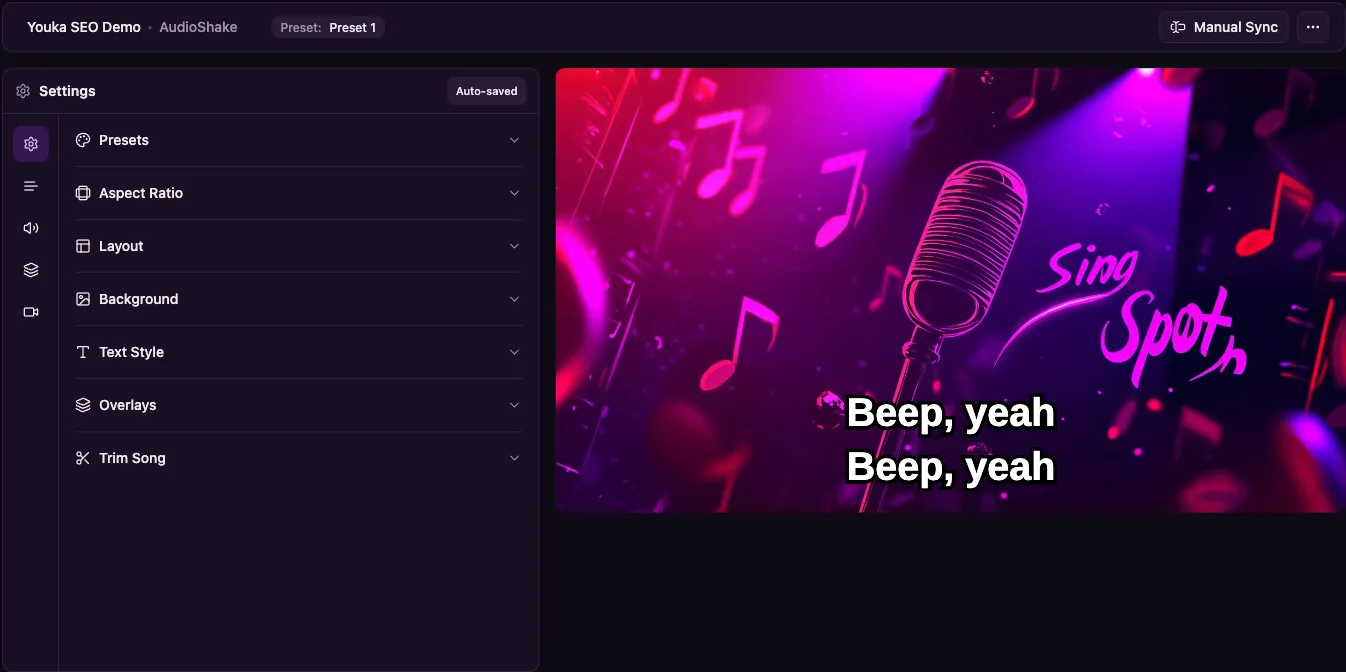
Create a synced lyric video online when you want the original song to stay in the mix and the words to appear at the right moment. Upload an audio or video file, add lyrics, let Youka build the first timed draft, then adjust the words, line breaks, colors, background, and layout before exporting a 1080p MP4.
Use this lyrics video maker for YouTube lyric videos, song releases, fan sing-alongs, music lessons, practice tracks, social clips, or karaoke-style videos where you want to keep the lead vocal. The workflow stays in one browser project: source file, lyrics, AI timing, visual editing, preview, and MP4 export.
Start free with 15 credits. That is enough to test a real song, inspect the lyric timing, and export finished videos before buying more credits.
Demo Output
This short clip was exported from Youka using an approved royalty-free sample track. It shows the core output this page is about: readable synced lyrics, clear visual styling, and a finished MP4 you can share or play on a larger screen.
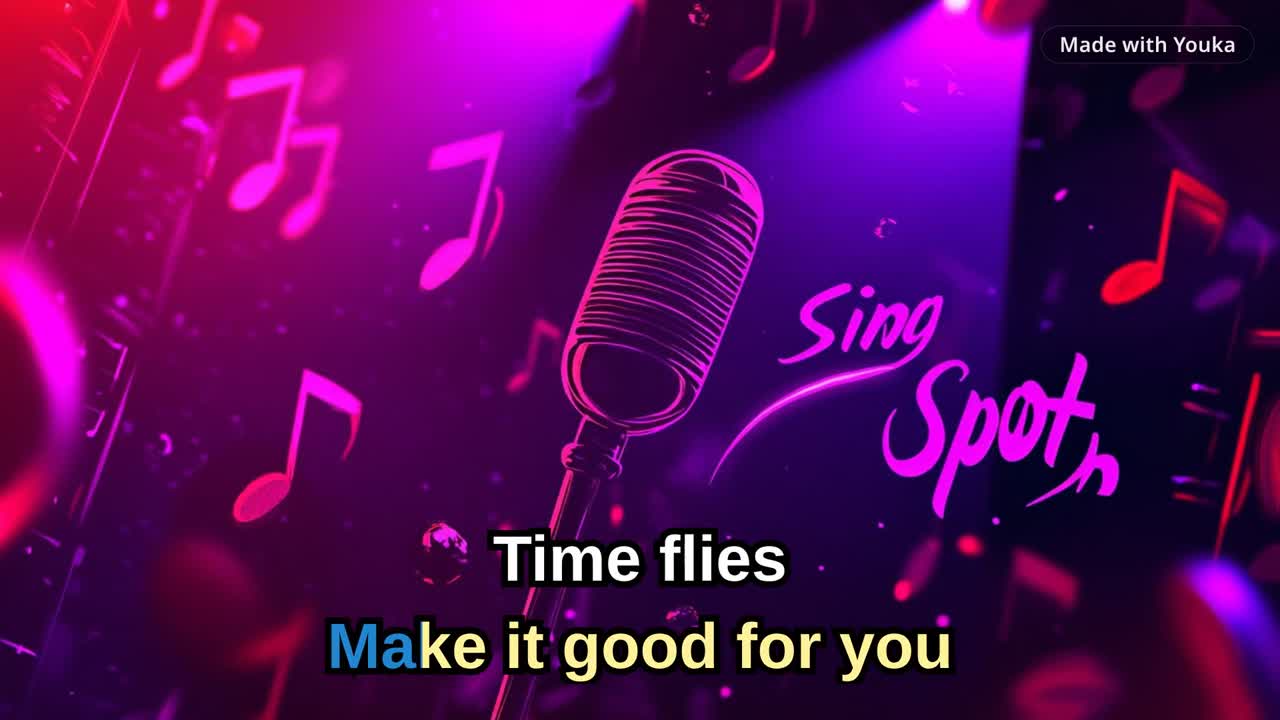
Demo music: Good For You by THBD, from Audio Library. Source: YouTube.
Quick Answer
To make a lyric video, upload a song, paste or find the lyrics, let Youka time the words to the audio, preview the draft, fix any lyric or timing issues, customize the text and background, then export the finished lyric video as a 1080p MP4.
If you want to remove the lead vocal and create a sing-along instrumental video, use the Karaoke Video Maker. If you want the fastest browser workflow, use the Online Karaoke Maker. If your source is a public video URL, use YouTube to Karaoke with Youka Online and the Youka Extension.
For detailed timing cleanup, read the lyric synchronization workflow.
AI Lyric Video Maker
Youka uses AI to build the first timed lyric-video draft, then keeps the result editable. That matters because the best lyric videos are not only automatic: the words need to match the exact recording, appear early enough to read, and stay clear on phones, laptops, TVs, and projectors.
The AI pass can align lyrics to the song, prepare word and line timing, and create a playable preview. You can then fix text, timing, line breaks, colors, background, and layout before export. Use the automatic draft to save editing time, then use the browser editor to make the final video feel intentional.
Add Lyrics to Video Automatically Online
Use Youka when you already have a video and want synced words on top, or when you only have audio and need an audio to lyrics video workflow. Upload the file, paste or find the lyrics, let Youka align the words automatically, then preview the timing before exporting.
Automatic timing works best when the source audio is clean and the lyrics match the exact version. If Youka finds the wrong lyric version, paste your own text before processing. If the draft is close but not perfect, adjust the line or word timing in the editor instead of rebuilding the whole video in another tool.
Free Lyric Video Maker Trial
New accounts get 15 free credits, enough to test the workflow on a real song. Use the free credits to check whether Youka finds the right lyrics, times the words comfortably, and gives you a video style you can polish before export.
This makes Youka a practical free lyric video maker trial, not an unlimited free export tool. Test one real song, inspect the sync and readability, then buy more credits only if the first result proves the quality you need.
For plan details, see Free Karaoke Maker or compare the current pricing options.
When Paid Credits Make Sense
Start free if you are making one lyric video or checking whether the sync quality is good enough for your source. Buy more credits only after the first real export proves the timing, readability, and visual style you need.
Paid credits make the most sense when lyric videos are part of a repeat workflow: a YouTube channel, artist release plan, lesson library, practice set, fan-content batch, or custom requested songs. You can keep each song in one browser workspace, fix timing and line breaks, reuse visual styles, and export finished MP4s without rebuilding the video in a separate editor.
If the first export proves the quality you need, buy credits for the next batch from the same workflow.
How to Make a Lyric Video
1. Choose a Source
Start with the cleanest version of the song you have:
- MP3, WAV, FLAC, M4A, or another common audio file
- MP4, MOV, MKV, AVI, or WebM video file
- Public video URL in Youka Online with the Youka Extension
- Existing instrumental or vocal mix, depending on the result you want
Clean studio recordings usually give the most reliable lyric timing. Live recordings, heavy effects, crowd noise, remixes, or alternate edits may need more manual cleanup.
2. Add Accurate Lyrics
Paste your lyrics or let Youka find lyrics automatically when available. Pasting clean lyrics usually gives the best result because the timing model has the exact words to align.
Before processing, remove headers, timestamps, credits, ads, and "repeat chorus" notes. Include repeated chorus text in full so the timing follows the actual song from start to finish.
3. Let AI Build the First Draft
Youka analyzes the song and creates a first lyric-video draft:
- aligns lyrics to the audio
- prepares word and line timing
- creates a playable preview
- keeps the original vocal when you want a traditional lyric video
- can also remove vocals when you want a karaoke-style sing-along
Most standard songs are ready to preview in a few minutes. Difficult recordings may need a timing pass after the first draft.
4. Fix Timing, Words, and Line Breaks
Preview the draft like a viewer or singer. Check whether the next words appear early enough, whether long lines are readable, and whether the lyrics match the exact recording.
Use the editor to adjust:
- lyric text
- word or line timing
- line breaks
- one-line or two-line display
- singer colors for duet-style sections
- lyric position on screen
If a draft needs deeper cleanup, use the lyric synchronization workflow before export.
5. Customize the Video Style
Make the lyric video fit the song and destination:
- solid color, image, video, or original-video background
- font family and text size
- active and inactive lyric colors
- outline and shadow for readability
- logo overlay
- intro and outro assets
- reusable visual style presets
For lyric videos, readability matters more than decoration. High contrast, short lines, and a simple background usually work better than small text over busy footage.
6. Export the Finished Lyric Video
Export the finished lyric video as a 1080p MP4. Use it for:
- YouTube lyric videos
- music promotion
- TikTok, Reels, and Shorts clips
- lessons and practice material
- fan sing-along videos
- personal or artist video libraries
For destination-specific checks before you export a batch, use the karaoke video export settings checklist.
Lyric Video or Karaoke Video?
| Goal | Best Workflow | Why |
|---|---|---|
| Keep the original vocal | Lyrics Video Maker | Best for official lyric videos and music promotion |
| Remove the lead vocal | Karaoke Video Maker | Best for sing-along karaoke MP4s |
| Start from an MP3 or audio file | MP3 to Karaoke | Fast file-based workflow |
| Start from a public video URL | YouTube to Karaoke | Uses Youka Online with the Youka Extension |
| Create quickly without installing desktop app | Online Karaoke Maker | Lowest-friction browser start |
Common Problems and Fixes
The lyrics are out of sync
First check whether the lyrics match the exact song version. Radio edits, remixes, covers, and live versions often change sections. Then adjust line or word timing in the editor.
The text is hard to read
Increase the font size, shorten long lines, add outline or shadow, and simplify the background. Lyric videos should be easy to read on phones, laptops, TVs, and projectors.
The automatic lyrics are wrong
Paste your own lyrics when lookup returns the wrong version, misses a section, or adds extra formatting. Accurate lyrics are the strongest input for good timing.
I want karaoke instead of a lyric video
Use vocal removal and the Karaoke Video Maker workflow when the goal is a sing-along instrumental. Keep the original vocal when the goal is a traditional lyric video.
Frequently Asked Questions
Can I make a lyric video online?
Yes. Youka Online lets you upload a song, add lyrics, sync the words, edit the style, preview the result, and export a lyric video from your browser.
Is Youka a free lyric video maker?
You can start free with 15 credits. That is enough to test a real song, check the automatic lyric timing, edit the result, and decide whether the quality is worth buying more credits for the next videos.
Can I add lyrics to video automatically online for free?
You can use the free credits to try the automatic add-lyrics-to-video workflow online. Upload a video or audio file, add lyrics, let Youka create the first timed draft, then preview and fix the timing before export.
Can I keep the original vocals?
Yes. Keep the original vocal track for a traditional lyric video, or remove the lead vocal when you want a karaoke-style sing-along video.
Can I fix bad lyric timing?
Yes. After the first AI draft, you can adjust lyrics, line breaks, word timing, and line timing before export.
What video resolution is supported?
Youka exports lyric videos in 1080p MP4 format, which works well for YouTube, social platforms, TVs, projectors, and most playback setups.
Can I use my lyric video commercially?
You can use videos you create with Youka, but you are responsible for having the rights to the music, lyrics, and visual assets used in the final video.
Ready to create a synced lyric video? Start with Youka Online.
If you need a full sing-along karaoke MP4 instead, start with the Karaoke Video Maker.
Inside Youka Online
See the workflow before you start
Click a screenshot to open Youka Online and try the same create-to-studio flow in your browser.